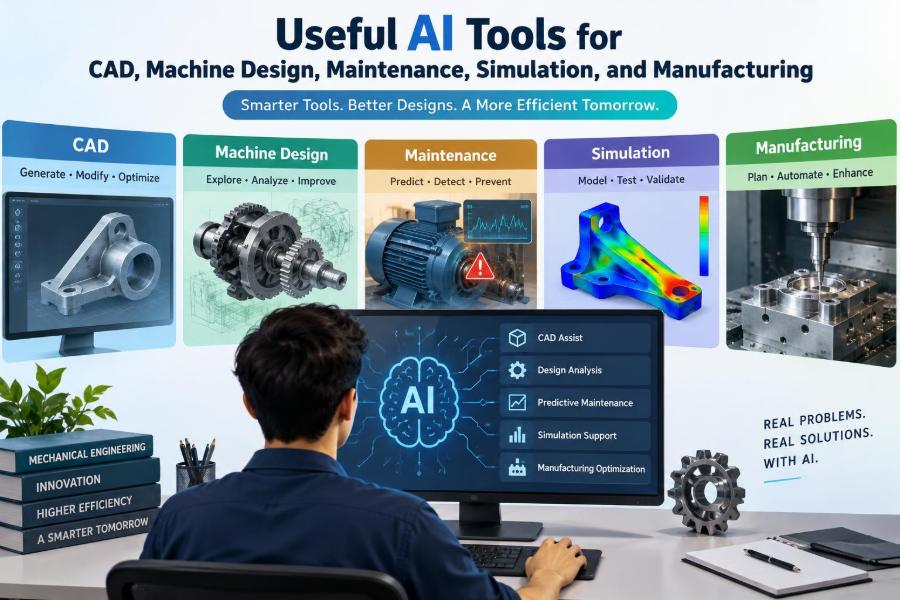

A designer opens a familiar assembly file and finds three problems at once: a bracket needs to carry more load, the enclosure must fit a new connector, and the release date has not moved. The obvious response is to model faster. The better response may be to ask which parts of the work require engineering judgment and which parts can be accelerated safely.
AI tools are beginning to appear across mechanical engineering workflows: inside CAD systems, beside simulation software, in maintenance dashboards, and on factory floors. Their most useful role is rarely “design the machine for me.” It is often more practical: find information, recognize patterns, generate alternatives, automate repetitive setup, and flag conditions worth investigating.
That distinction matters because a plausible model, report, or recommendation is not automatically a correct one. Mechanical products still obey geometry, material behavior, manufacturing limits, safety requirements, and the sometimes inconvenient realities of operation.
The strongest results come when AI reduces administrative and exploratory work while engineers remain responsible for assumptions, verification, and decisions. Here is a grounded guide to where these tools fit—and where they do not.
🧭 Start With the Engineering Problem, Not the Tool
“Use AI” is not a useful project definition. Begin with a measurable bottleneck: long drawing-review cycles, recurring bearing failures, slow search for past designs, excessive simulation setup time, or inconsistent inspection records.
A good candidate has a clear input, a repeatable task, and an output that someone can check. For example, extracting dimensions from supplier PDFs is easier to evaluate than asking a general-purpose chatbot to approve a pressure-containing component.
- Define the user and the decision they must make.
- Identify the data or documents needed.
- Decide how a correct output will be verified.
- Estimate the consequence of a wrong answer.
🧠 What “AI” Means in Mechanical Engineering
AI is an umbrella term, not one technology. In practice, mechanical teams may use language models for text and search, machine-learning models for classification or prediction, computer vision for image inspection, and optimization algorithms for design exploration.
Generative AI produces new text, code, geometry concepts, or images from patterns in its training and supplied context. Predictive models estimate a category or value, such as the likelihood that a machine is operating abnormally. Each requires different data, validation, and controls.
🗂️ Use Language Tools as Engineering Assistants
Language-based tools can turn unstructured material into usable working notes. They can summarize test reports, compare a supplier specification against a requirement list, draft an inspection checklist, or help explain an unfamiliar manufacturing process.
The safest use is to provide a bounded source set and ask traceable questions: “List every stated operating temperature and identify contradictions between these two documents.” Do not treat a fluent answer as a source. Check statements against the drawing, standard, manual, or dataset that governs the work.
🔎 Search Technical Knowledge More Effectively
Engineering knowledge is often scattered across folders, issue trackers, old calculations, service records, and scanned documents. AI-assisted search can retrieve semantically related material even when the exact wording differs.
This can prevent a common waste: redesigning a fixture or troubleshooting a failure that a previous team already understood. Retrieval is most valuable when documents have disciplined metadata, version control, access permissions, and clear ownership.
A result should show where it came from. If a system cannot point to the relevant report section, drawing revision, or maintenance record, it should be treated as a lead—not as evidence.
📐 Accelerate Sketches and Early CAD Concepts
Some CAD platforms offer command assistance, feature suggestions, sketch constraint help, and natural-language interfaces. These features can lower the friction of creating a rough concept, especially for repetitive operations such as holes, patterns, fillets, and standard geometry.
Early geometry is cheap to change, so this is a sensible place to experiment. Yet the model still needs a coherent design intent: reference planes, parameter relationships, mating logic, and dimensions that reflect how the part will be controlled in production.
🧩 Preserve Parametric Design Intent
A shape can look correct while being a poor CAD model. Imported or automatically generated geometry may lack meaningful features, robust constraints, and editable relationships. A small change can then cause failures, missing references, or hours of remodeling.
For parts likely to evolve, create a clean parametric backbone first. Use named parameters for values such as thickness, clearance, pitch, and envelope dimensions. AI can help generate or modify details, but engineers should protect the model structure that makes future change manageable.
🧱 Recognize Features and Repair Imported Geometry
Feature recognition tools can identify holes, pockets, bosses, bends, and other common forms in neutral CAD files. This is useful when a supplier provides STEP geometry without the original feature history.
Automation can speed repair, but recognition is not infallible. Check hole types, thread representations, blend transitions, wall thicknesses, and reference orientation before using recognized features for downstream machining, tolerance analysis, or simulation.
📏 Automate Drawings Without Losing Drawing Discipline
AI-assisted drafting can propose dimensions, annotations, bill-of-material entries, and notes based on model information. This may reduce tedious work, particularly for families of similar parts.
A released drawing remains a manufacturing and inspection contract. The reviewer must confirm datum selection, functional dimensions, tolerances, surface requirements, material condition, revision status, and note applicability. Automatically dimensioning every visible edge is not the same as communicating functional intent.
🧮 Use AI to Check Rules, Not Replace Tolerancing
Rule-based and AI-supported checks can identify missing properties, duplicate part numbers, impossible field entries, or dimensions that conflict with company conventions. They are useful guardrails in a product data management workflow.
Geometric dimensioning and tolerancing requires reasoning about function, assembly variation, inspection method, and manufacturing capability. A tool may detect that a datum is absent; it cannot reliably infer the correct datum scheme without a full understanding of how the assembly locates and operates.
🧬 Explore Design Space With Generative Design
Generative design and topology optimization search for material layouts that meet defined loads, constraints, and objectives. A common objective is to reduce mass while retaining stiffness or a target safety margin. The resulting forms can look organic because the algorithm places material along efficient load paths.
These methods are valuable for brackets, structural nodes, heat-transfer components, and other parts where the load case and design space are well understood. They are not a shortcut around requirements; they make the quality of the inputs even more important.
🏭 Put Manufacturing Constraints Into the Model
An optimized shape may be suitable for additive manufacturing but impractical to mill, cast, form, inspect, or assemble. Manufacturing constraints must be built into the study: minimum wall thickness, tool access, draft, symmetry, overhang limits, allowable directions, and stock allowances.
For example, a lightweight aircraft bracket concept may require a machining-friendly redesign with accessible cutter paths and realistic radii. The final part can still benefit from optimization, but it will rarely be identical to the first algorithmic output.
⚖️ Select Objectives That Reflect Real Trade-Offs
Every optimization favors what is measured. Minimizing mass alone can produce a part that is costly, difficult to inspect, overly flexible in a secondary load case, or vulnerable to fatigue.
Define multiple objectives where appropriate: mass, stiffness, natural frequency, cost, cycle time, thermal performance, and manufacturability. Some goals conflict. Making those conflicts visible early is more useful than accepting a mathematically “optimal” answer to the wrong problem.
🔩 Generate Design Alternatives for Machine Elements
For shafts, gears, fasteners, springs, bearings, and frames, AI can help compare concept alternatives and organize calculations. It can suggest questions engineers might otherwise miss, such as whether shaft deflection could affect seal life or whether a gear ratio changes reflected inertia.
It should not be trusted to invent design allowables or silently choose catalog values. Verify loads, duty cycle, lubrication, mounting arrangement, life factors, temperature effects, and supplier ratings using the applicable calculation method and current technical documentation.
🧾 Build Calculation Scripts Faster—Then Test Them
Language models can accelerate routine scripting in Python, MATLAB-like environments, spreadsheets, or CAD APIs. Useful tasks include unit conversions, parametric sweeps, report formatting, parsing test logs, and plotting trends.
Code that runs is not necessarily correct. Test it with hand-calculated cases, known benchmark problems, boundary values, and deliberately invalid inputs. Keep units explicit, document equations and assumptions, and place scripts under version control when they influence engineering decisions.
🌡️ Prepare Simulation Models More Efficiently
Simulation workflows contain repetitive preparation: assigning materials, selecting contacts, generating meshes, defining load cases, and organizing results. Automation can reduce setup time and improve consistency across variants.
The difficult work remains model idealization. Should a bolted joint be represented with connectors, preload, contact, or a simplified restraint? Is a shell model adequate? Is the load distribution realistic? AI cannot rescue a finite element analysis built on inappropriate boundary conditions.
🕸️ Treat Meshing as an Engineering Decision
A mesh divides a continuous body into finite elements so numerical equations can be solved. Finer elements can capture sharper gradients, but they increase computational cost and do not compensate for poor modeling assumptions.
Use automated meshing as a starting point, then inspect element quality and refine where stress gradients matter: fillets, contacts, holes, notches, and load introduction points. Perform mesh convergence checks for quantities that drive decisions, rather than relying only on a colorful contour plot.
🧪 Validate Simulation Against Physical Reality
Simulation becomes trustworthy through verification and validation. Verification asks whether the equations and numerical implementation are solved correctly. Validation asks whether the model represents the real component closely enough for its intended purpose.
Compare predictions with test data when feasible: displacement, strain, temperature, frequency, pressure drop, or failure location. A mismatch is informative. It may reveal an incorrect material model, overlooked friction, uncertain load path, or a test condition that differs from the assumed boundary conditions.
📊 Use Surrogate Models for Fast Iteration
High-fidelity CFD, nonlinear FEA, and multiphysics studies can be expensive to run repeatedly. A surrogate model is a faster approximation trained or fitted from a controlled set of simulation or experimental results.
It can support rapid trade studies, optimization, and sensitivity analysis within the range of data used to build it. Outside that range, predictions can become unreliable. Engineers should define the valid operating envelope and confirm promising candidates with the original high-fidelity model.
📈 Find Patterns in Sensor Data
Modern equipment may record vibration, temperature, pressure, current, flow, speed, position, and controller alarms. AI can help identify patterns across many signals that would be hard to review manually.
Data quality sets the limit. Sensors need calibration, timestamps need alignment, operating modes need labels, and missing data must be understood. A vibration change during a planned speed increase is not necessarily a bearing fault; context turns a signal into an engineering observation.
🛠️ Support Predictive Maintenance Carefully
Predictive maintenance estimates whether asset condition is changing in a way that justifies inspection or intervention. It can complement preventive schedules, especially where failure modes develop gradually and condition data is meaningful.
False alarms consume technician time and can erode trust. Missed faults may be costly or unsafe. Start with a narrow asset class, known failure modes, and a response plan: who reviews the alert, what inspection confirms it, and what action follows.
🔊 Combine AI With Traditional Condition Monitoring
Established practices remain essential: vibration spectra, oil analysis, thermography, ultrasonic inspection, alignment checks, and operator observations. AI can prioritize records or detect unusual patterns, but it should be integrated with physical diagnosis.
A rising vibration trend, for instance, may be associated with imbalance, misalignment, looseness, resonance, a damaged rolling element, or changing process conditions. The maintenance decision should consider machine history, frequency content, speed, load, and inspection evidence—not a single risk score.
👁️ Apply Computer Vision to Inspection
Vision systems can classify parts, read markings, check assembly presence, detect surface anomalies, and measure features when lighting and optics are controlled. They can be effective for high-volume, repeatable inspection tasks.
Performance can degrade when part finish, illumination, orientation, contamination, camera position, or product variants change. A deployment should include representative samples, an agreed definition of acceptable quality, an escalation path for uncertain cases, and periodic checks against calibrated measurement methods.
🤖 Improve Robotic Cells With Better Perception
AI-enhanced vision and motion planning can help robots locate randomly oriented parts, adapt to modest variation, or identify whether a bin is empty. This can make automation more flexible than rigid fixtures alone.
Flexibility does not remove safety engineering. Guarding, safe speeds, interlocks, emergency stops, risk assessments, and validated recovery procedures remain necessary. A robot that can infer a pick location still needs a predictable, safe response when it fails to pick.
🏗️ Optimize Production Planning Within Constraints
Scheduling tools can recommend job sequences based on due dates, setup changes, machine availability, material status, and estimated processing times. Their value is greatest when production data is current and shop-floor realities are represented.
Schedules can fail when they ignore tooling availability, inspection capacity, rework queues, operator skills, preventive maintenance, or a bottleneck process. Treat an AI schedule as a decision aid that planners refine, rather than as an instruction that overrides local knowledge.
♻️ Reduce Waste and Energy With Process Insight
Manufacturing analytics can expose patterns in scrap, cycle time, energy use, compressed-air demand, and process drift. A useful project might identify that a machining operation consumes excess time only after a tool reaches a certain wear condition.
Correlation is a starting point, not proof of cause. Confirm suspected relationships with process knowledge and controlled trials where practical. A change that lowers energy consumption must not compromise dimensional capability, quality, operator safety, or equipment life.
🔐 Protect Design Data and Intellectual Property
CAD assemblies, drawings, manufacturing parameters, field failures, and customer information can be sensitive. Before uploading anything to an external AI service, understand the organization’s policy, the tool’s data-handling terms, retention behavior, access controls, and whether submitted data may be used for model improvement.
Use approved systems for proprietary material. Remove unnecessary identifiers when sharing examples, apply least-privilege access, and keep a record of what data reaches automated workflows. Data governance is part of engineering risk management.
⚠️ Watch for Hallucinations, Bias, and Hidden Assumptions
A generative model can state an incorrect equation, standard reference, material property, or procedure with convincing confidence. This is often called a hallucination. It is especially risky when users are under time pressure and the answer resembles familiar technical language.
Models can also reflect gaps in their training data or in the records used for a local prediction system. Ask for assumptions, demand source traceability, and compare outputs with first principles, controlled calculations, and qualified review.
👥 Keep Accountability With the Engineering Team
AI may assist a task, but it does not hold professional responsibility for design decisions. The person or organization releasing a design must retain ownership of requirements, analysis, risk assessment, documentation, and change control.
Clear roles help. A junior engineer might use a tool to create a first-pass test summary; a responsible engineer reviews technical accuracy; quality and manufacturing teams confirm downstream impact. This arrangement develops judgment instead of replacing it with unexamined automation.
🧰 Create a Practical Tool Evaluation Workflow
Evaluate a new tool on a contained pilot before broad deployment. Select a real but low-consequence workflow, establish a baseline for time and quality, and define acceptance criteria before the pilot begins.
- Choose one task with known inputs and review criteria.
- Run representative cases, including difficult edge cases.
- Measure rework, review effort, errors, and time saved.
- Document failure modes and required human checks.
- Scale only when benefits remain after verification effort.
A tool that saves five minutes but adds ten minutes of checking is not automation; it is a new source of overhead.
🎓 Build Skills That Make AI Useful
The most durable skills remain mechanical fundamentals: free-body diagrams, materials behavior, tolerances, failure modes, manufacturing processes, statistics, and clear technical communication. These let engineers recognize when an answer violates physical or practical constraints.
Add data literacy: understand units, data provenance, uncertainty, basic scripting, visualization, and model validation. The goal is not for every mechanical engineer to become a data scientist. It is to ask better questions and judge automated outputs competently.
🧭 Choose the Right Level of Automation
Not every task deserves the same autonomy. Low-risk drafting assistance may be largely automated with review. A safety-critical design decision, maintenance shutdown recommendation, or process change needs stronger evidence and human authorization.
| Task type | Suitable AI role | Essential control |
|---|---|---|
| Document summary | Draft and organize | Check against source files |
| CAD repetition | Suggest or automate features | Review design intent and geometry |
| Simulation study | Automate setup and compare variants | Validate assumptions and results |
| Maintenance alert | Rank anomalies | Physical diagnostic confirmation |
| Safety-critical release | Support documentation | Qualified engineering approval |
🚀 Build a Reliable AI-Enabled Engineering Practice
The useful question is not whether AI can produce an answer. It is whether it improves a decision while preserving traceability, safety, and engineering rigor. Start with well-defined work, connect outputs to reliable sources, and keep verification proportional to the consequence of error.
AI is most valuable in mechanical engineering when it amplifies disciplined engineering judgment rather than pretending to replace it. Used this way, it can free time for the work machines cannot do alone: understanding requirements, resolving trade-offs, testing reality, and taking responsibility for what gets built.
The practical path is incremental: automate a bounded task, learn where it fails, improve the workflow, and retain human review where physics, quality, safety, and accountability demand it. That is how useful tools become dependable engineering capability. ⚙️📐🏭